Why I Turned a Steam Deck into a 3D Printer Console
Winner of the OpenAI Open Model Hackathon, out of 8,652 participants: gpt-oss models running offline on a Steam Deck, voice control through Vosk, STL viewing in OpenGL, and OctoPi for the actual printing. From 'print me a hook for my desk' to a hook on the build plate.
The Steam Deck is the most underused console in any developer's drawer. It's a touch-screen Linux machine with a useful battery and a competent GPU. The OpenAI Open Model Hackathon asked: what would you build with gpt-oss running locally? My answer was 'a thing you can talk to that prints physical objects.'
Why I built it
3D printing is powerful but it usually assumes a high-performance desktop and a heavy slicing app like Cura sitting open in the background. I wanted the loop to be portable. Sit on the couch, talk to the Deck, watch a part show up on the printer in the next room. The Deck already has the GPU and the touchscreen. What it needed was an offline voice path, a local LLM, and a clean handoff to the printer.
The voice-to-print loop
Vosk does the offline ASR. The transcript hits a Flask backend that proxies to gpt-oss:20b for fast intents and gpt-oss:120b for 'generate me a part' jobs. The output is STL (visualized in PySide6 + OpenGL with Trimesh) then handed to an OctoPi instance over the local network for slicing, uploading, and a camera feed of the print.
What it does
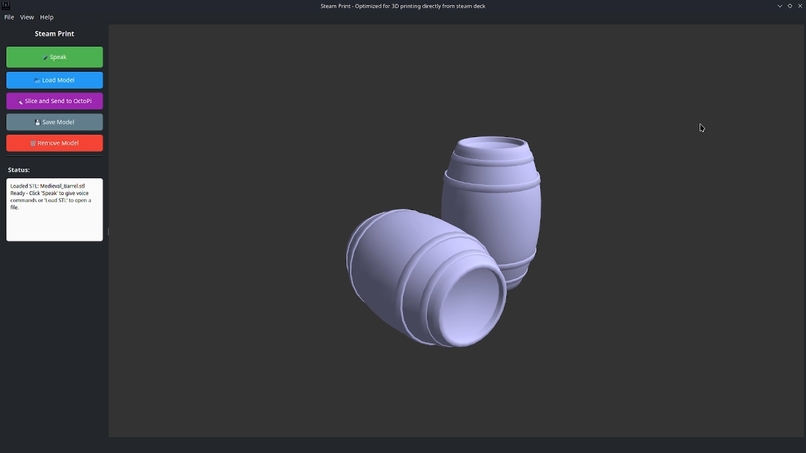
- Loads and views STL files on the Steam Deck with a touch-optimized OpenGL viewer.
- Takes offline voice commands through Vosk and sounddevice, no internet needed for the mic path.
- Sends voice prompts to a Flask backend running gpt-oss:20b or gpt-oss:120b, which generates STL geometry dynamically.
- Slices and uploads the model to OctoPi on a Raspberry Pi, then surfaces a live camera feed of the print.
- Runs the whole thing as a handheld, hands-mostly-free workflow without any desktop slicing app open.
How I built it
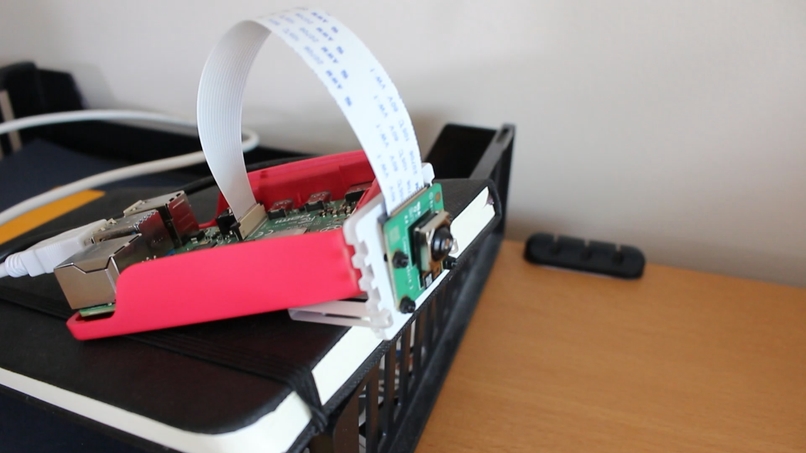
The frontend is PySide6 with OpenGL and Trimesh for 3D visualization, plus sounddevice and Vosk for offline speech. The backend is a Flask server that receives voice prompts from the Deck, dispatches to gpt-oss:20b for fast intents or gpt-oss:120b for generation, and returns STL bytes. Printing goes through the OctoPi API on a Raspberry Pi with a camera module. Every long-running job (server requests, slicing, printing, the mic loop) runs on its own QThread so the touch UI stays responsive.
Why two model sizes
gpt-oss:20b is the dispatcher. 'rotate 90 degrees', 'start the print', 'show the camera', that kind of classification has to feel instant on the Deck's APU. gpt-oss:120b only wakes up for parametric generation, where I hand it a prompt scaffold with constraints (units in mm, printable wall thickness, no overhangs over 45 degrees) and it returns a callable description that the backend renders to STL. Splitting the load that way kept the interactive parts snappy without giving up generation quality on the harder jobs.
Why offline mattered for the judging
The hackathon was specifically about open models running locally. A connected GPT-4 call would have been faster. It would also have missed the point. The constraint forced choices that turned out to be useful: gpt-oss:20b is fast enough on the Deck's APU for intent classification, and 120b is good enough for parametric part generation if you hand it the right prompt scaffold.
What was hard
Concurrency was the first wall. Three threads (Vosk listening, Flask round-trip, OctoPi slicing) trampling on the same Qt event loop crashed the app fast. Pushing every blocking call to a QThread worker with signals back to the GUI thread is the only thing that stopped the crashes. The second wall was rendering: even small STLs lagged the viewer until I decimated heavy meshes on load and cached the OpenGL buffers. The third was making sure Vosk would behave on the Deck's Arch Linux without any network, which mostly meant pinning the model files and the sounddevice backend explicitly.
What I learned
- QThread + signals is the only sane way to keep a PySide6 GUI alive when voice, network, and slicing all run at once.
- gpt-oss:120b can do useful parametric 3D if you scaffold the prompt with units, wall thickness, and overhang constraints up front.
- Decimating STLs on load is worth more than any GPU trick on the Deck's APU.
- A modular frontend-backend split (Deck talks, server thinks, Pi prints) makes each piece testable on its own.
What's next
- Slicing controls (layer height, infill, supports) exposed directly in the Deck UI instead of round-tripping to OctoPi defaults.
- Multi-format loading: OBJ, 3MF, PLY in addition to STL.
- AI-assisted print optimization that picks orientation, supports, and parameters before slicing.
- Cloud fetch from public model repositories so the Deck can pull a base model and the LLM can edit it by voice.
- Multi-device monitoring so several Decks can queue jobs against the same OctoPi farm.
Why I Built an AI Exoplanet Classifier That Says 'I Don't Know'
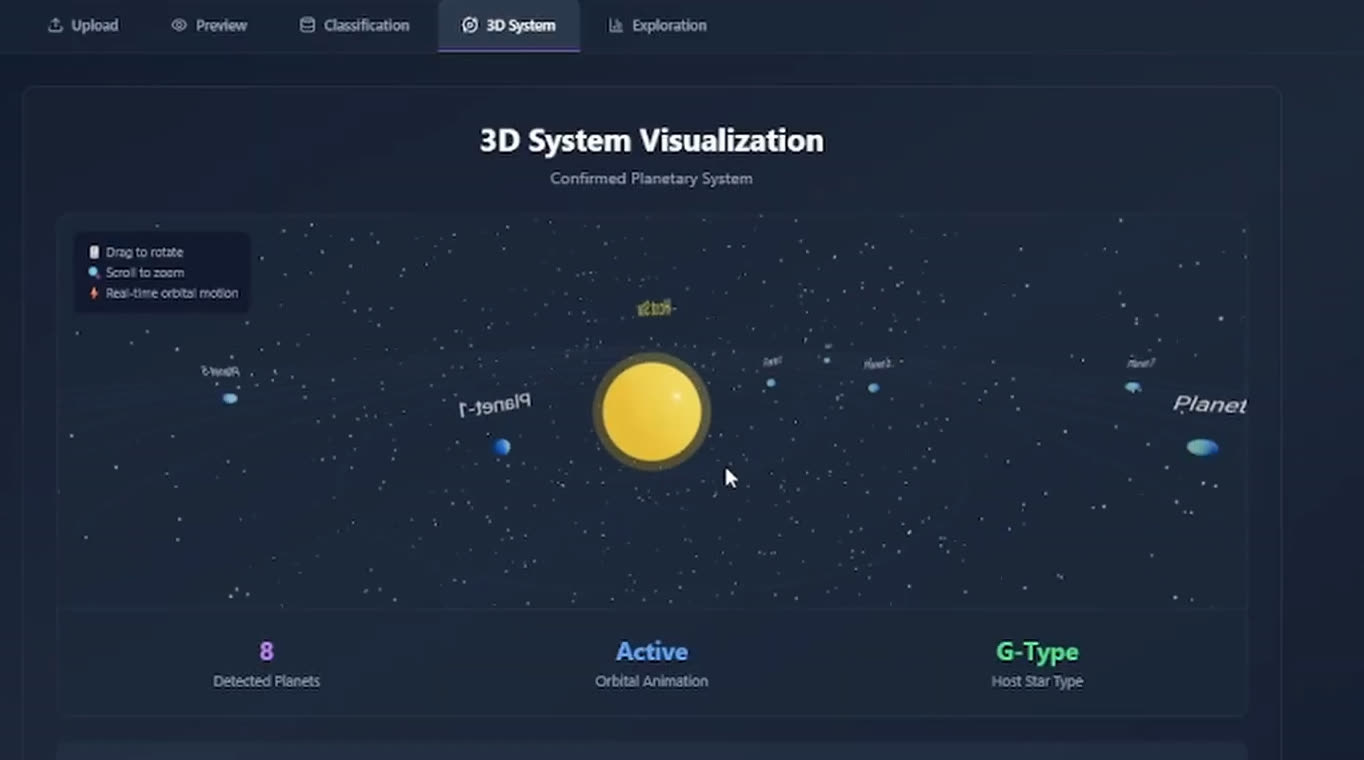
An XGBoost classifier on NASA Kepler, K2, and TESS data is a Saturday afternoon. The interesting part is everything around it: three real classes (CONFIRMED, CANDIDATE, FALSE POSITIVE) plus an UNKNOWN abstention bucket, dataset upload, in-browser retraining with hyperparameter tuning, 2D exploration, and 3D system views.
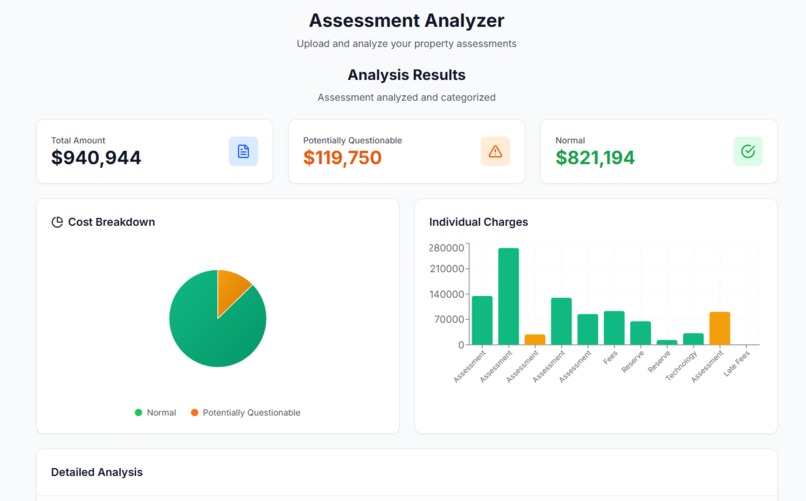
Helping Condo Owners Argue with 200-Page PDFs
A special assessment notice lands and a condo owner has 30 days to decide whether to fight it. The PDF is 200 pages of accounting and legalese. CondoShield reads it, surfaces the levers, and drafts the dispute letter, in English or French.