Scores typed courtside, on the website before the next game starts
Montreal United runs mentorship and organised sports for youth in Montreal, including two annual basketball tournaments. I took over their bilingual WordPress site in September 2026 and built them a second thing they asked for: a way to run a tournament from a phone at the gym. Divisions, pools, generated games and scores go in on the phone, and the public page picks them up on its own, in English and French. The part I spent the most care on is the part that refuses, because the person using it is standing at a scorer's table with a game finishing behind them.
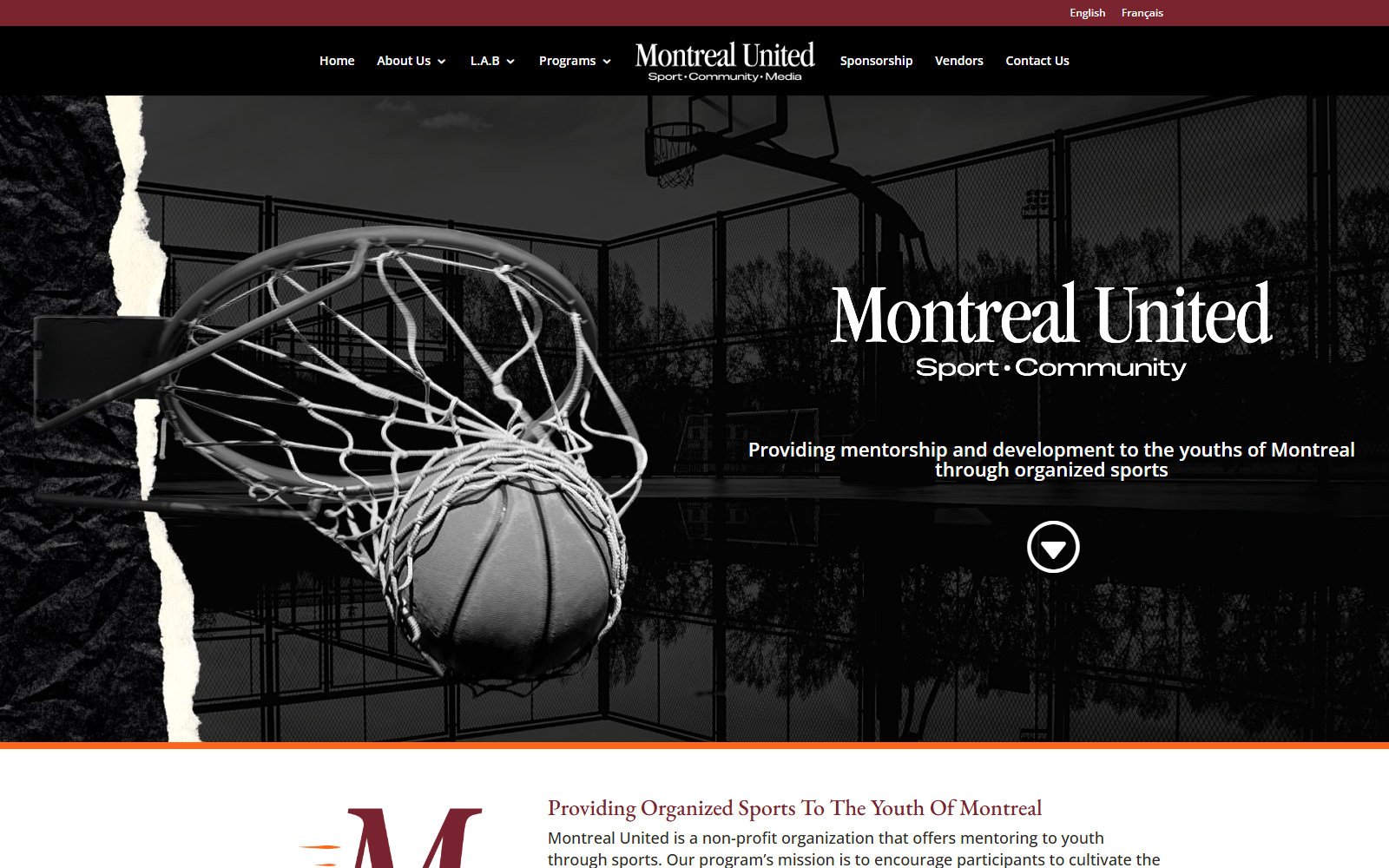
Montreal United is a non-profit that runs mentorship and organised sports for youth in Montreal. Two basketball tournaments anchor their year: the Lindsay A. Burnett Invitational and No Politics, Just Ball. I took over the website in September 2026 and have been running it since. It is WordPress on Divi with WPML, which means every page exists twice, once in English and once in French, and the two have to stay in step or the French side quietly rots.
The half that is not the website
The brief that mattered was not about the site at all. During a tournament, scores exist on paper at a scorer's table and nowhere else until somebody gets home and types them up. Parents in the gym refresh a page that has not changed since Thursday. What the organisation wanted was the ability to update teams and scores from a phone, on the floor, and have the website take care of itself. So the second half of this engagement is a tool: a WordPress plugin with its own database tables and an admin-only REST namespace, paired with a progressive web app that installs from a link. No app store, no review queue, no build step on their side. You open a link, add it to your home screen, and it behaves like an app.
A tournament is a draft until somebody says otherwise
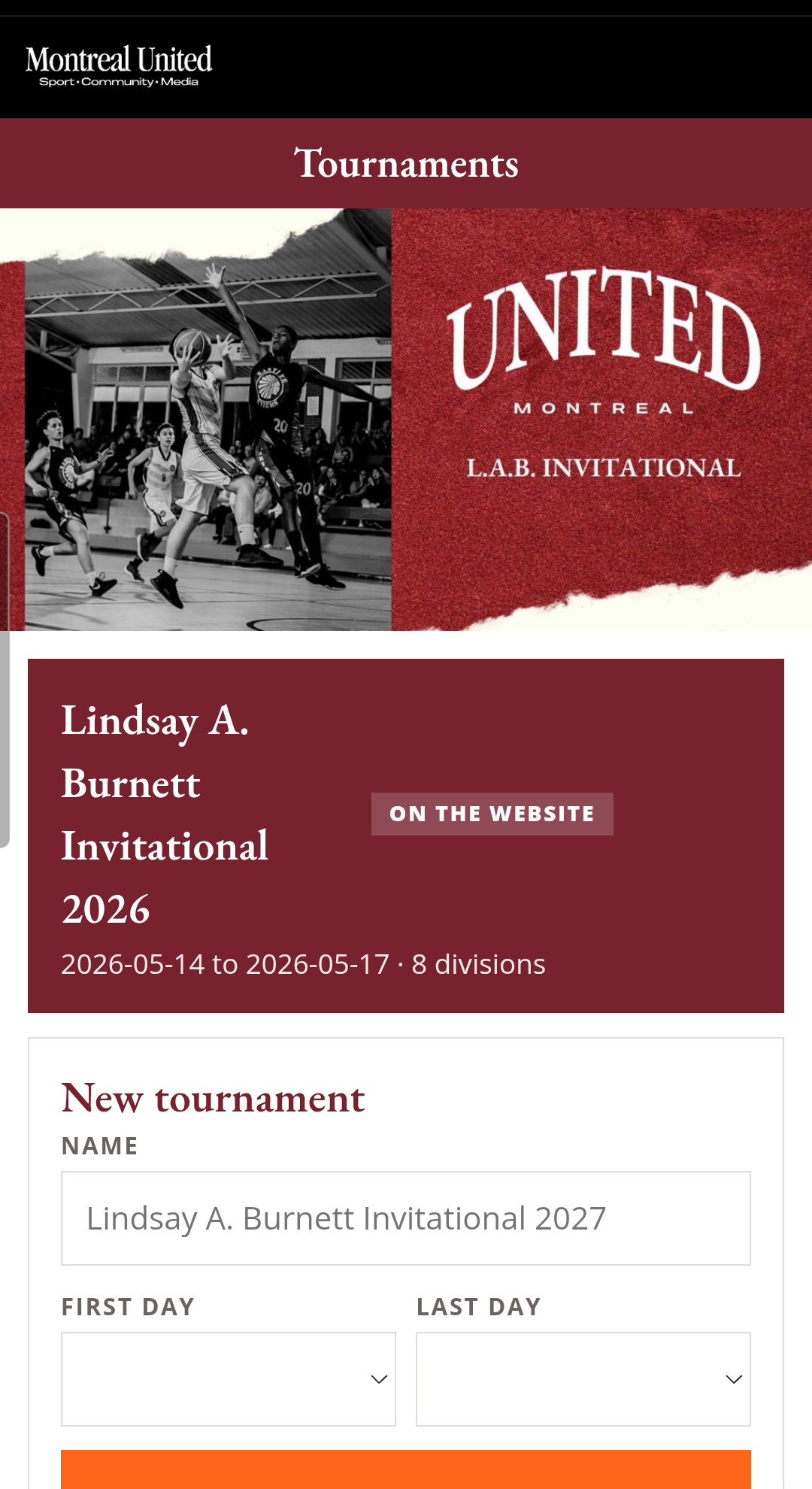
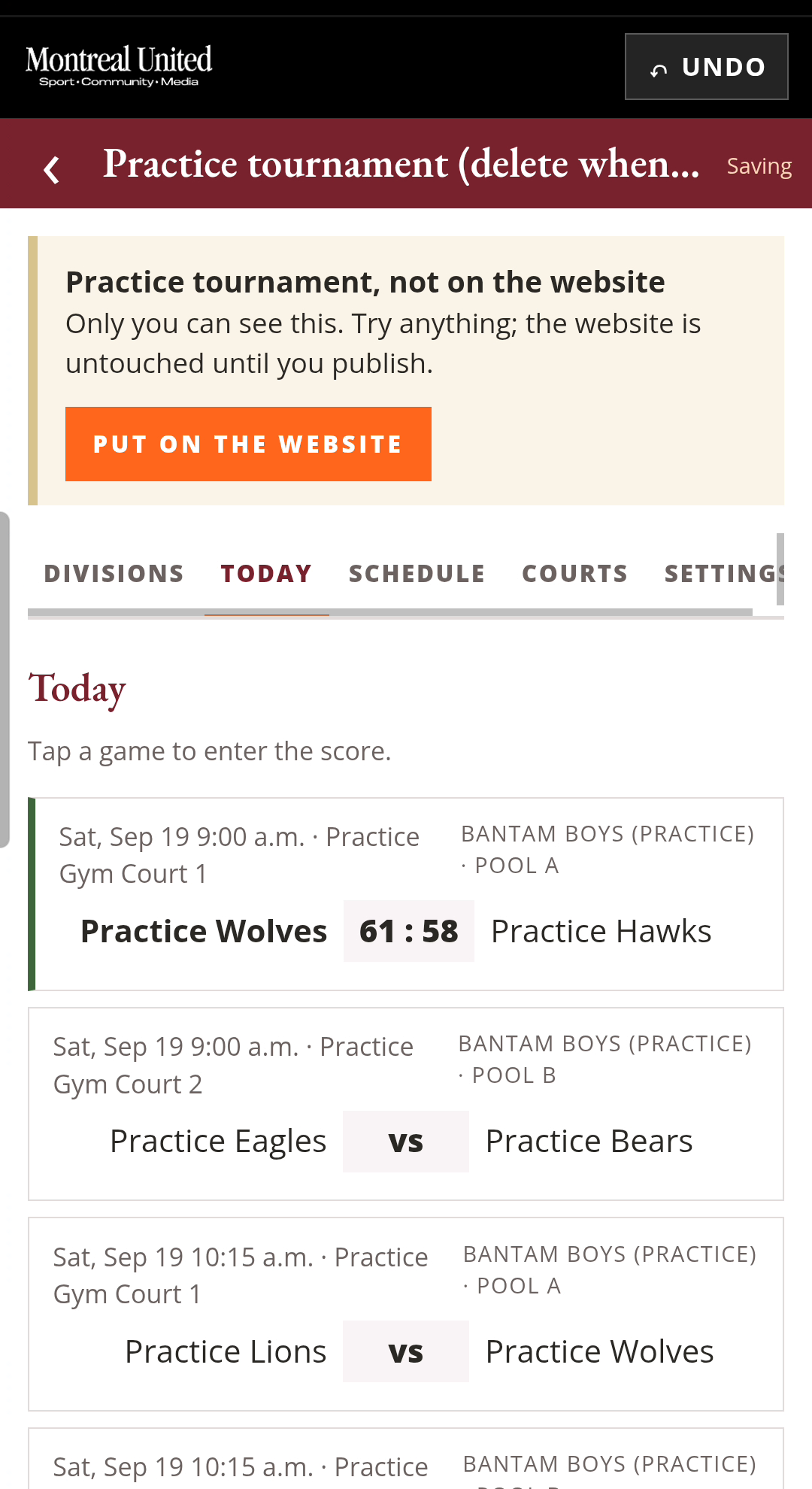
The person using this is standing at a scorer's table with a game finishing behind them and a parent asking a question. That context decided most of the design. Every tournament starts as a draft, and the public website only ever renders published ones, so nothing anyone does in the app reaches the public site until they press a button that says so. There is a one-tap practice tournament that fills itself with sample games on today's date, and it wears a banner on every screen saying it is not on the website and that you can try anything. Publishing and unpublishing are separate explicit buttons behind a confirmation, and the confirmation warns you when another tournament is already live or when the name looks like a practice. Clearing all scores is undoable. Renaming a team is undoable.
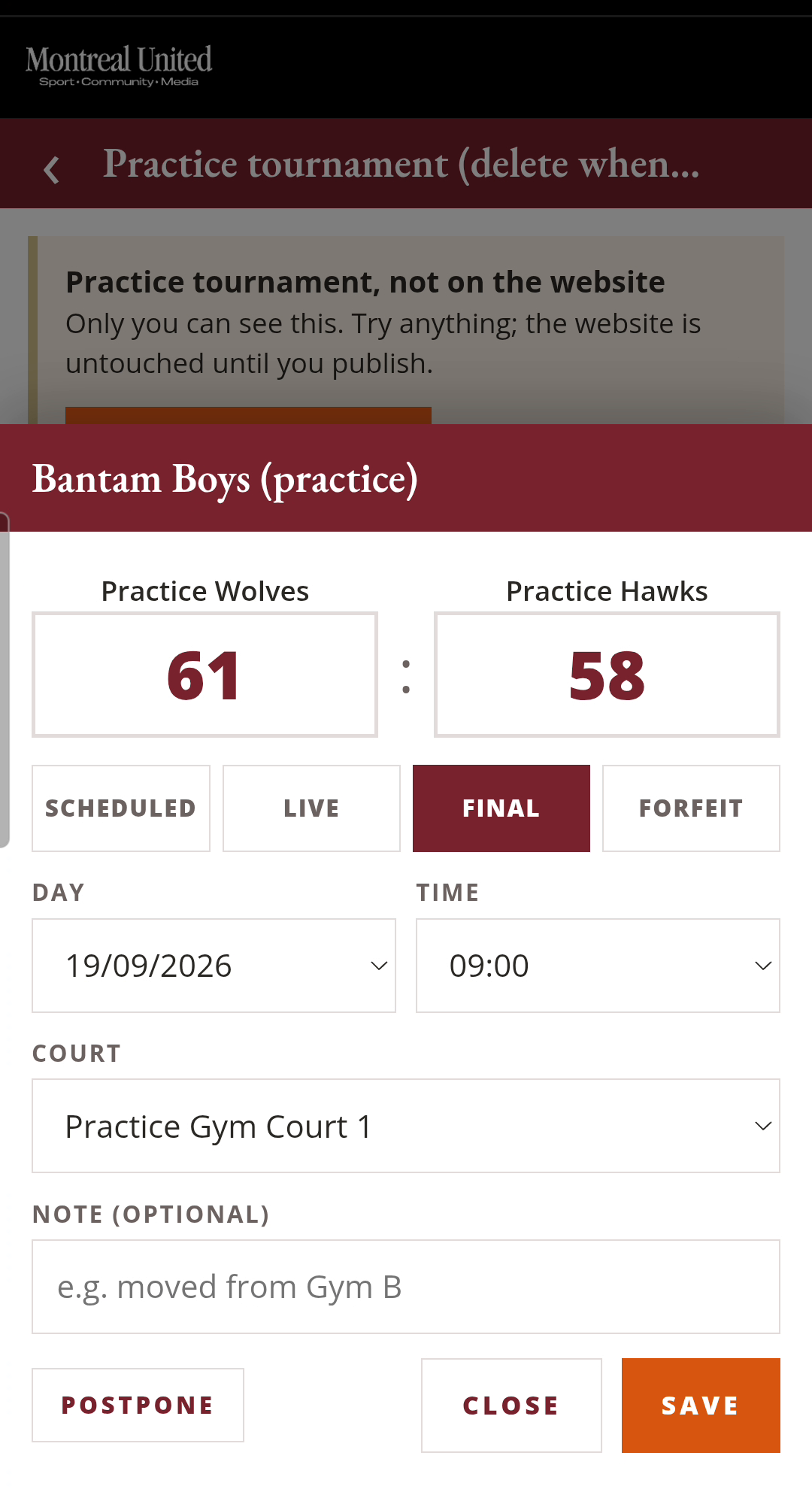
Getting a score wrong is normal, so correcting one had to be as cheap as entering one. Reopening a finished game shows a note acknowledging the mistake and lets you change either number, and the saved card updates immediately with the winner in bold. The undo bar sits at the top of the screen rather than in a menu, because the moment you need it is the moment you are least willing to go looking.
Divisions, pools, and the games in between
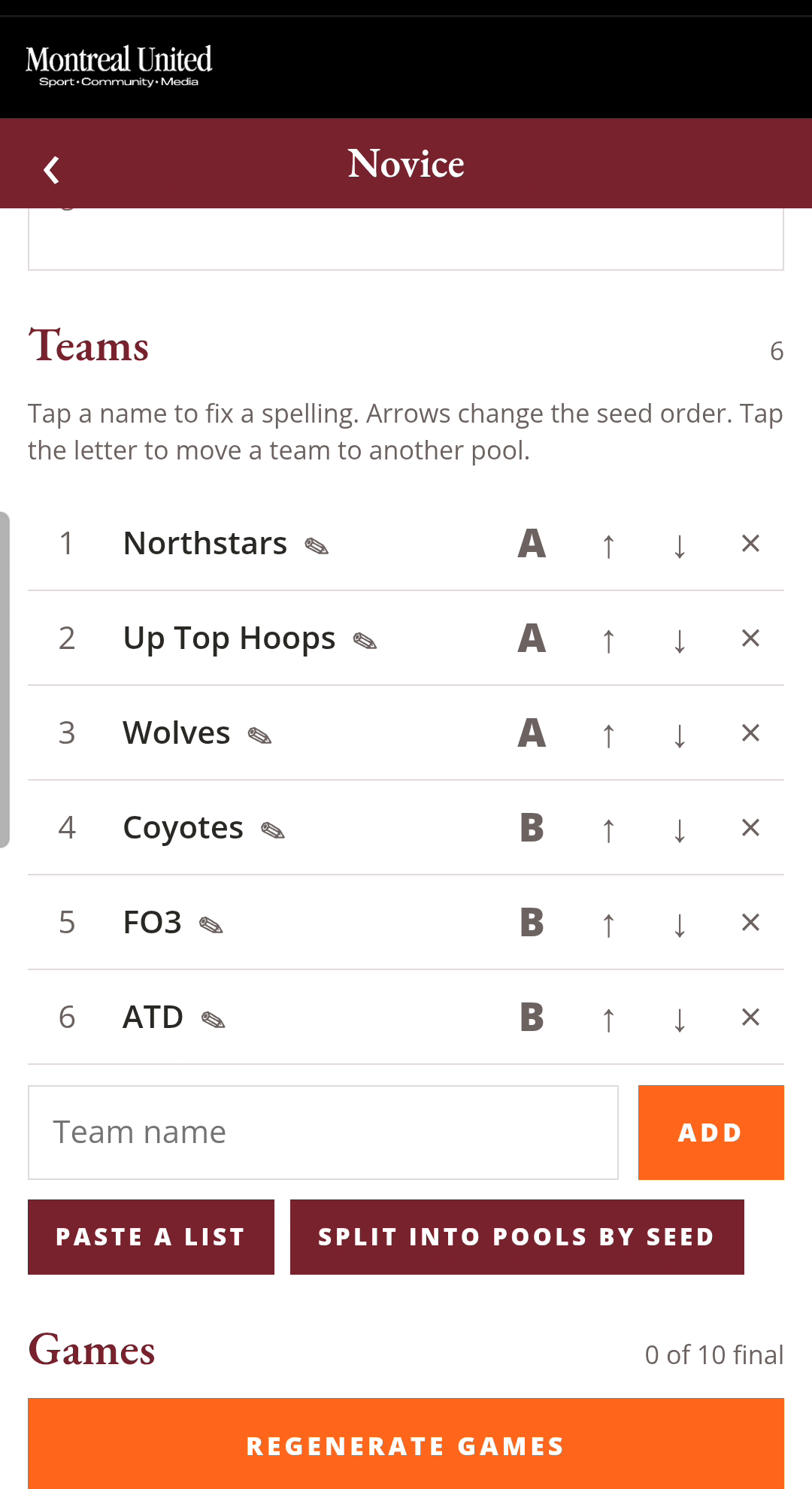
A tournament here is eight divisions by age and gender, each with its own teams, and the 2026 edition ran eighty-eight games. The app builds that structure rather than asking anyone to type it: add the teams to a division, split them into pools by seed or by hand, and generate the round robin. Standings come out with tiebreakers applied, and the crossover games that follow resolve their seeds from the pool results instead of needing to be entered again. Regenerating is safe, because it is a separate button that tells you what it is about to replace.
The beat that makes it worth it
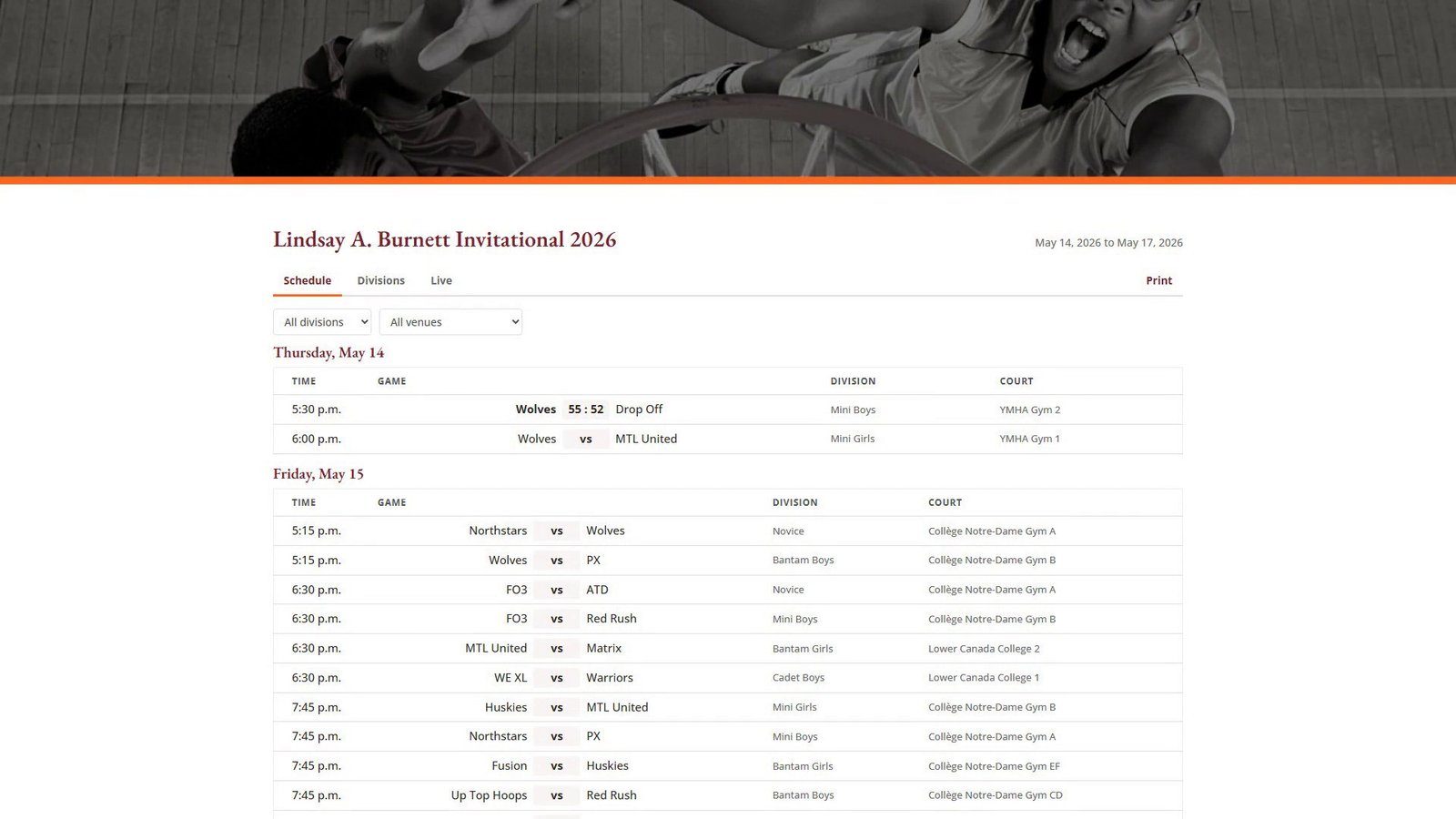
Here is the whole point of the project in one sentence: a score typed at the scorer's table is on the public website before the next game starts, and nobody did anything to make that happen. The public tournament page refreshes itself, so the parent standing in the gym with a phone, and the grandparent watching from another city, see the same number within the minute. No export, no upload, no volunteer at a laptop that evening.
Both languages, or it does not ship
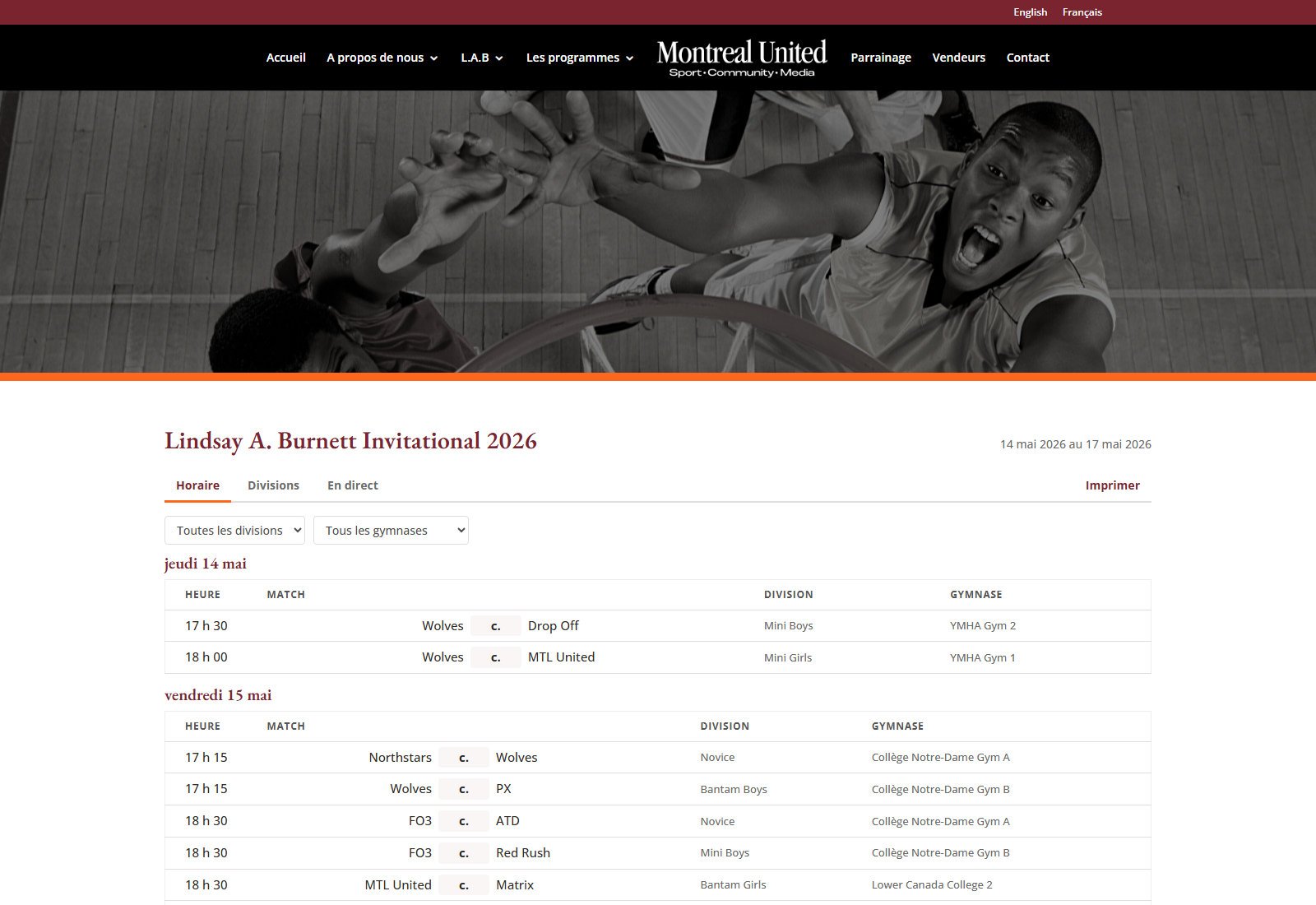
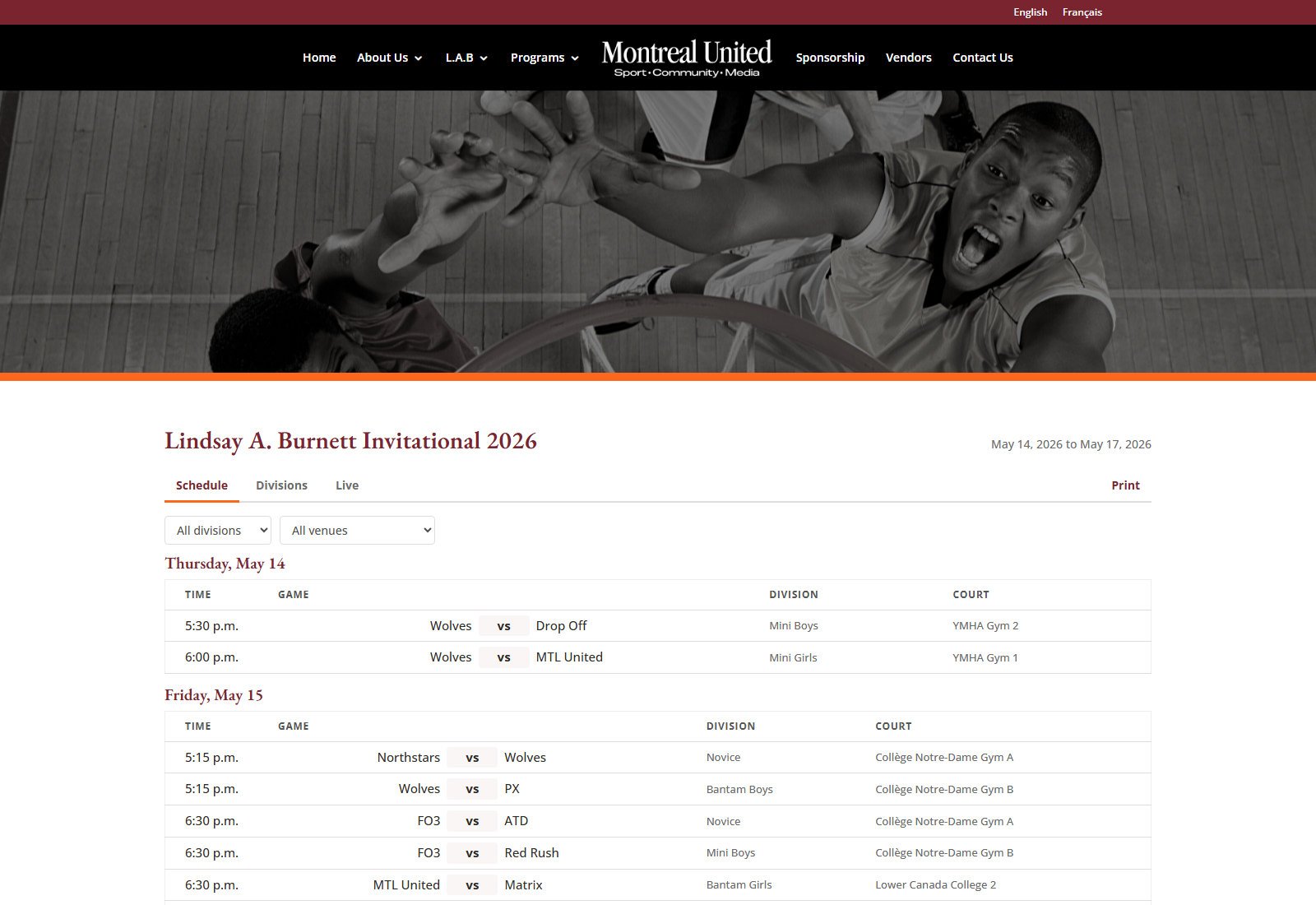
This is Montreal, the organisation serves families in both languages, and a French page that lags the English one is worse than no French page because it looks maintained and is not. So the tournament views are bilingual at the source: the same schedule, divisions, pools and standings render at /tournament/ and /fr/tournoi/, with the division names using the organisation's own French terms rather than a machine's guess at them. The validation suite asserts the tournament dates appear on the home, contact and tournament pages in both languages, so an edit that updates only the English side fails before it reaches anybody.
The unglamorous half: 2.5 seconds down to about 150 milliseconds
The site runs thirty-five plugins, and an uncached request spent about 2.5 seconds inside WordPress before sending a byte, with WooCommerce alone accounting for roughly 0.8 of that. The tempting move is to start deleting things. The correct move for a volunteer-run organisation that depends on those plugins for registration and payments was to put page caching in front of it and leave the stack alone. I added a warmer that rebuilds every page in batches, saves its progress, re-checks the whole set at the end of a pass, and runs again if something wiped pages mid-run. All twenty-four public pages now serve from cache in about 150 milliseconds.
What was hard
Three things, none of which I would have predicted. The host refuses any request body over one megabyte: Apache answers before PHP runs, so the media endpoint simply cannot take a photo straight off a phone, which is exactly what the client would try first. I measured the boundary, 1024 KB accepted and 1100 KB refused, then wrote a chunked upload that assembles a file from smaller pieces, checks the SHA-256 of the result against the one sent, and only then registers it. Second, WPML translates attachments, so saving a French page silently rewrites every gallery ID to a French twin pointing at the same files, which makes a naive read-back comparison fail on every French page that holds a gallery. Third, the page builder was auto-playing the first video in a tab, unmuted, the instant a visitor opened that tab, and because clicking the tab counts as a user gesture the browser's autoplay policy did not stop it. That one had been live and nobody had reported it.
What I learned
The feature I am proudest of is the one that does nothing. A practice tournament, a draft state, a confirmation that reads the situation and warns you when something else is already live: none of it appears in a feature list and all of it is why somebody will actually use this during a real tournament rather than waiting until they are home. The second lesson is older and I keep relearning it. Everything I shipped here is checked by a script that runs against the live site, now 104 assertions including a round trip performed as the client's own account, because on a bilingual site the failure mode is never a broken page, it is a French page that stopped matching the English one four weeks ago.
What's next
- The 2027 tournaments, the first ones where the tool runs a live weekend from the opening game rather than being tested against a finished season.
- Raising the host's one megabyte request limit, so the client can upload a photo straight from a phone without the chunked workaround standing in for it.
- A rotating gallery of tournament photos on the tournament pages, waiting on the photos rather than on code.
- Continuing the routine work the site actually lives on: content, tournament dates, registration forms each cycle, WordPress and plugin updates, backups and monitoring.
Montreal United: bilingual WordPress site for a Montreal youth basketball non-profit, plus a phone tool that puts tournament scores on it live
View the project